> For the complete documentation index, see [llms.txt](https://docs.tempoweave.com/llms.txt). Markdown versions of documentation pages are available by appending `.md` to page URLs; this page is available as [Markdown](https://docs.tempoweave.com/tempotreadle-3/tempotreadle-2/preparing-wif-files-for-your-project-tempotreadle-2/inserting-and-removing-micro-sd-cards-from-the-tt-system-unit.md).
# Inserting and Removing Micro-SD Cards from the TT System Unit
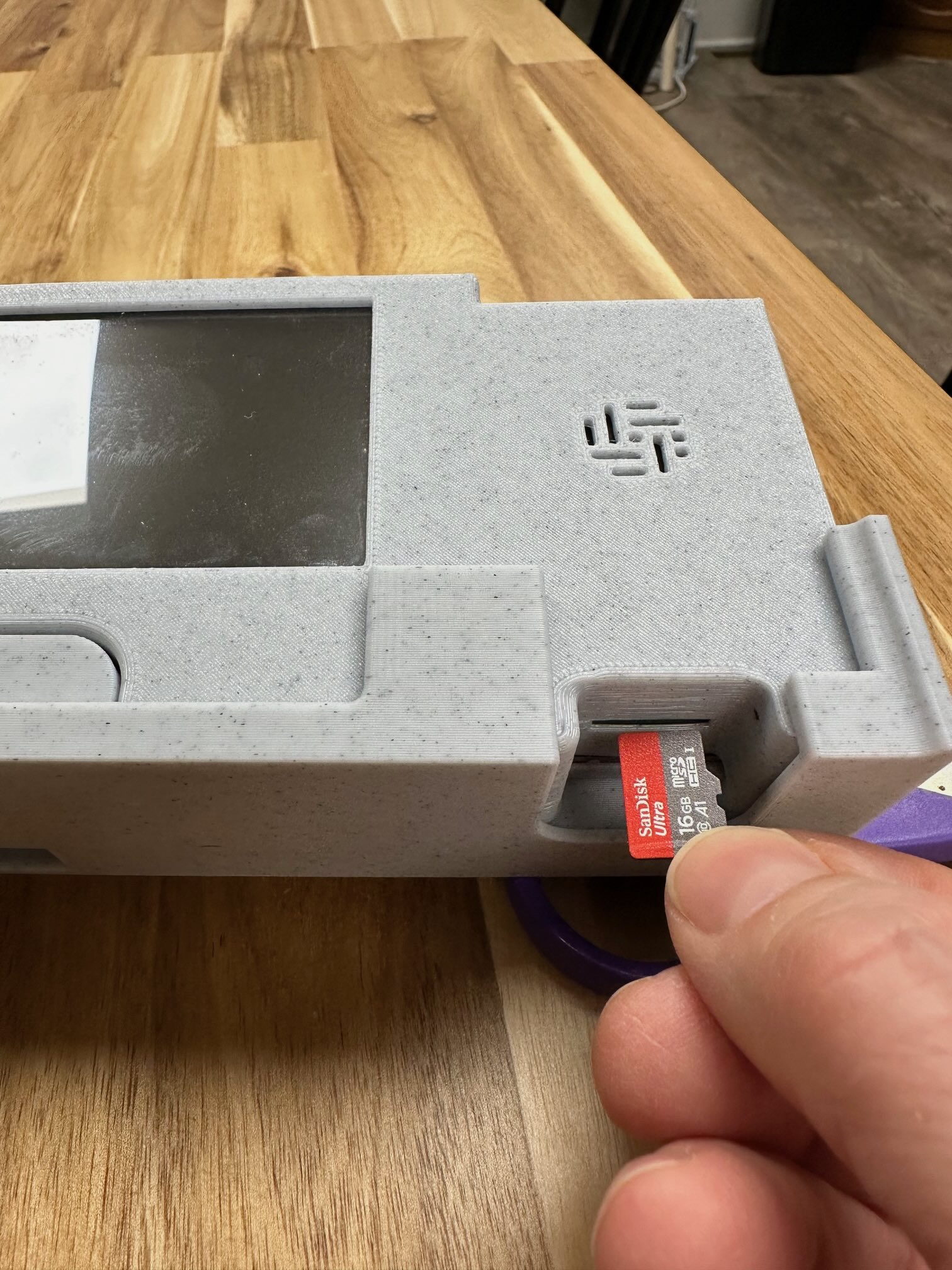
To insert the micro-sd card, insert the micro-sd card with the metal strips down as shown below. Then push the card into the slot. Note that the card should be pushed straight in.
Inserting the Micro-SD Card
To remove the micro-sd card, place your fingers over the edge and pull it the card straight out. Note that there is no "spring action" on this device; simply pull to remove, don't push and pull.
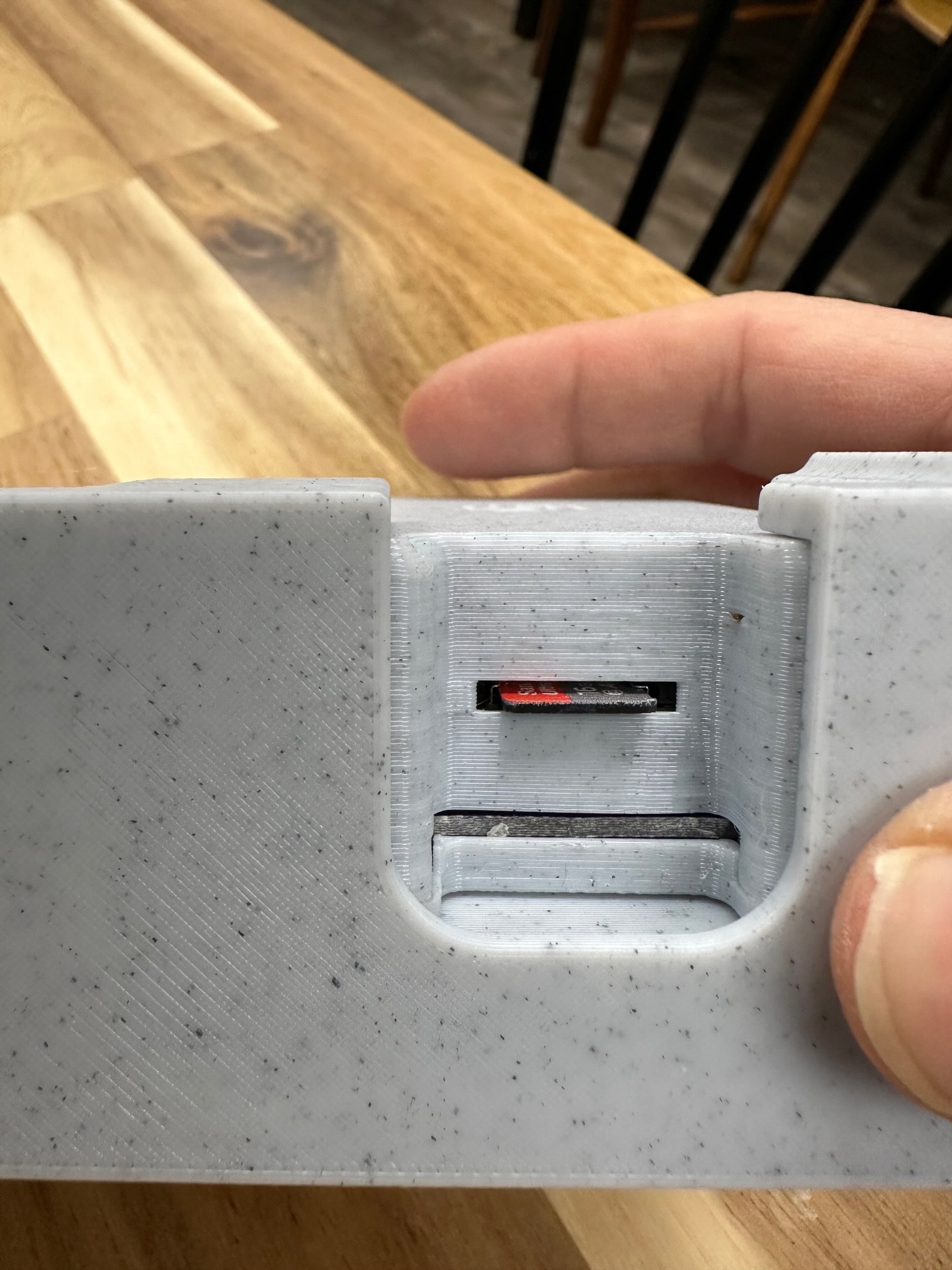
The picture below shows the a Micro-SD card fully inserted. There will be a small lip (about 2.5mm) extending from the case.