# Right-Click Requirements
There are a few places in TempoWeave Studio where a Right-Click is either required, or quicker. Most mice have at ease two buttons and one is designated as the Right Mouse button (they can usually be swapped for lefties), but when we say Right-Click we normally mean the right-most mouse button.
If you have a mouse with only a single button, you have a few options:
## Right-click on Mac
On your Mac, a right-click is called a *secondary click* or Control-click. To open shortcut menus, Control-click an item (such as the desktop, icons, or files) using your keyboard and mouse or trackpad.
### Control-click an item
Press and hold the Control key while you click an item using your mouse or trackpad.
**Tip:** If you have a Magic Keyboard with Touch ID and Numeric Keyboard (USB-C), you can use the Contextual Menu key  (located below the F13 key) to open a shortcut menu with your keyboard.
You can also set up additional Control-click options for your mouse or trackpad.
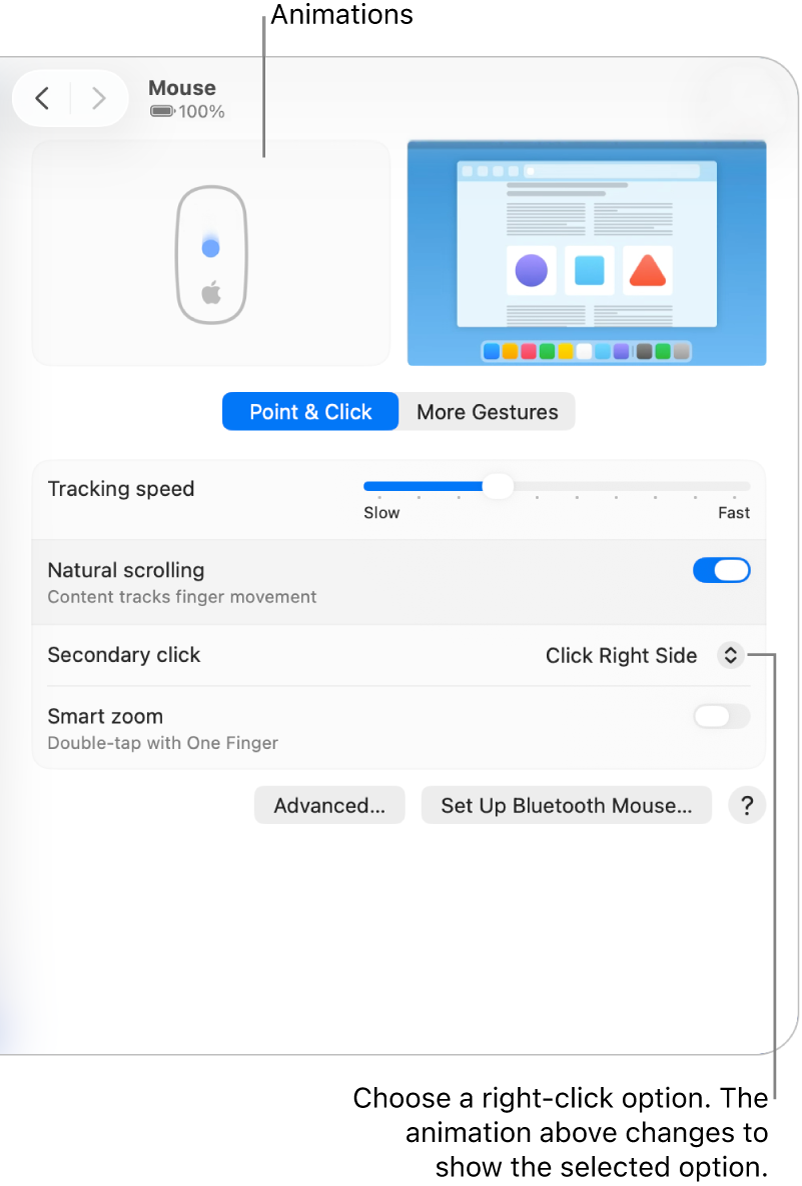
### Control-click items using only your mouse
To Control-click items using only your mouse, you may need to change its settings.
1. Go to the [System Settings](https://support.apple.com/en-ca/guide/mac-help/aside/glos063f0019/26/mac/26) app  on your Mac.
2. Click Mouse  in the sidebar. (You may need to scroll down.)
3. Click the “Secondary click” pop-up menu, then choose an option.
You can choose to click the right or left side of the mouse surface, whichever is most comfortable for you.
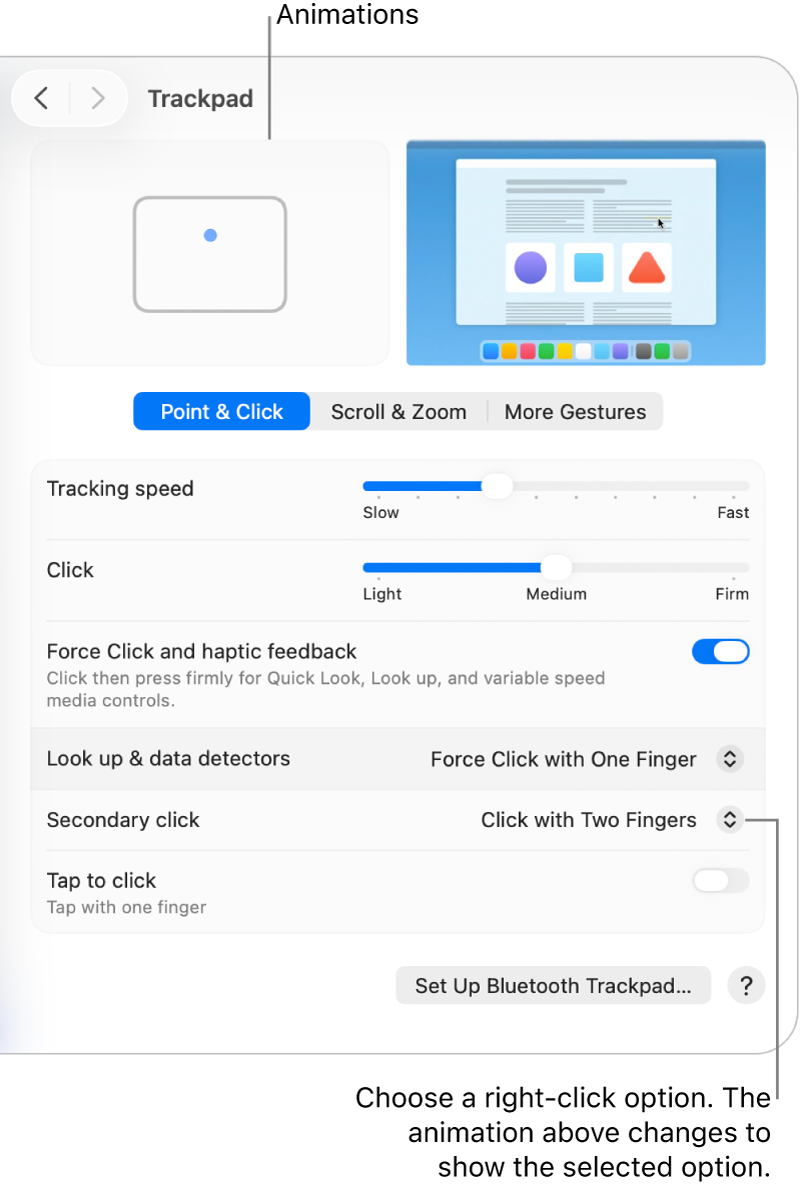
### Control-click items using only your trackpad
To Control-click items using only your trackpad, you may need to change its settings.
1. Go to the [System Settings](https://support.apple.com/en-ca/guide/mac-help/aside/glos063f0019/26/mac/26) app  on your Mac.
2. Click Trackpad  in the sidebar. (You may need to scroll down.)
3. Click the “Secondary click” pop-up menu, then choose an option.
---
# Agent Instructions: Querying This Documentation
If you need additional information that is not directly available in this page, you can query the documentation dynamically by asking a question.
Perform an HTTP GET request on the current page URL with the `ask` query parameter:
```
GET https://docs.tempoweave.com/special-topics/troubleshooting-tips-and-frequently-asked-questions/right-click-requirements.md?ask=
```
The question should be specific, self-contained, and written in natural language.
The response will contain a direct answer to the question and relevant excerpts and sources from the documentation.
Use this mechanism when the answer is not explicitly present in the current page, you need clarification or additional context, or you want to retrieve related documentation sections.