> For the complete documentation index, see [llms.txt](https://docs.tempoweave.com/llms.txt). Markdown versions of documentation pages are available by appending `.md` to page URLs; this page is available as [Markdown](https://docs.tempoweave.com/help-by-menu-tabs/file-menu/print-formatted-reports/print-warp-winding-plan.md).

# Print Warp Winding Plan

Print out a summary of warp ends by color.  Optionally group repeating colors by groups of 2, 3 or 4 when several ends are to be wound at once.  Set this in the Print Options under Warp Winding Color Pattern. &#x20;

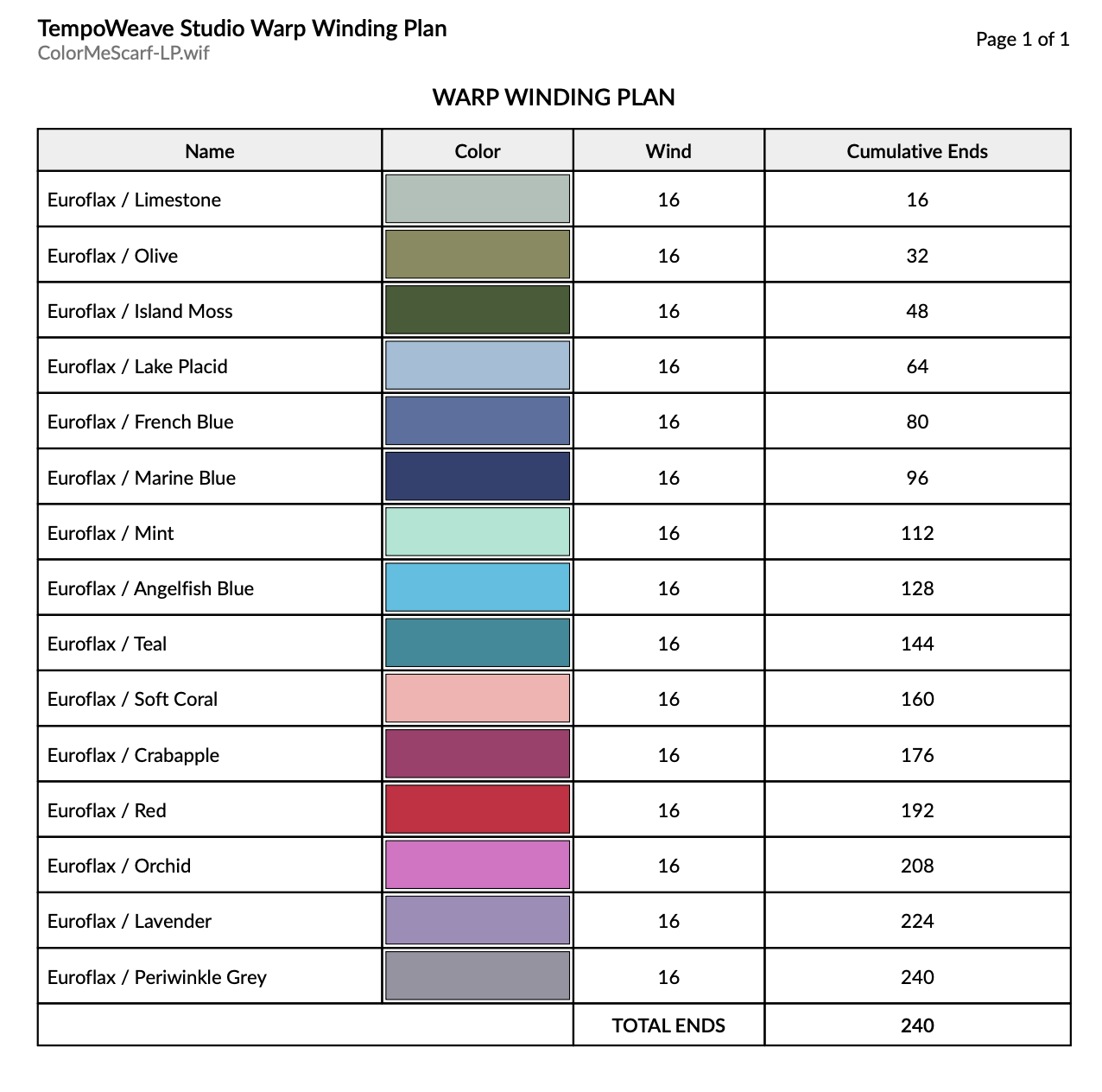
The following report is an example of warp winding plan that can be taken to the warping board or reel.  In this report, the options have included the report name, document title (blank, so default to WIF name) and page numbers.

The Cumulative Ends will add up to the total warp ends in the WIF.

<figure><img src="/files/MuMZGVpC1JhIN8DHAuDn" alt=""><figcaption></figcaption></figure>

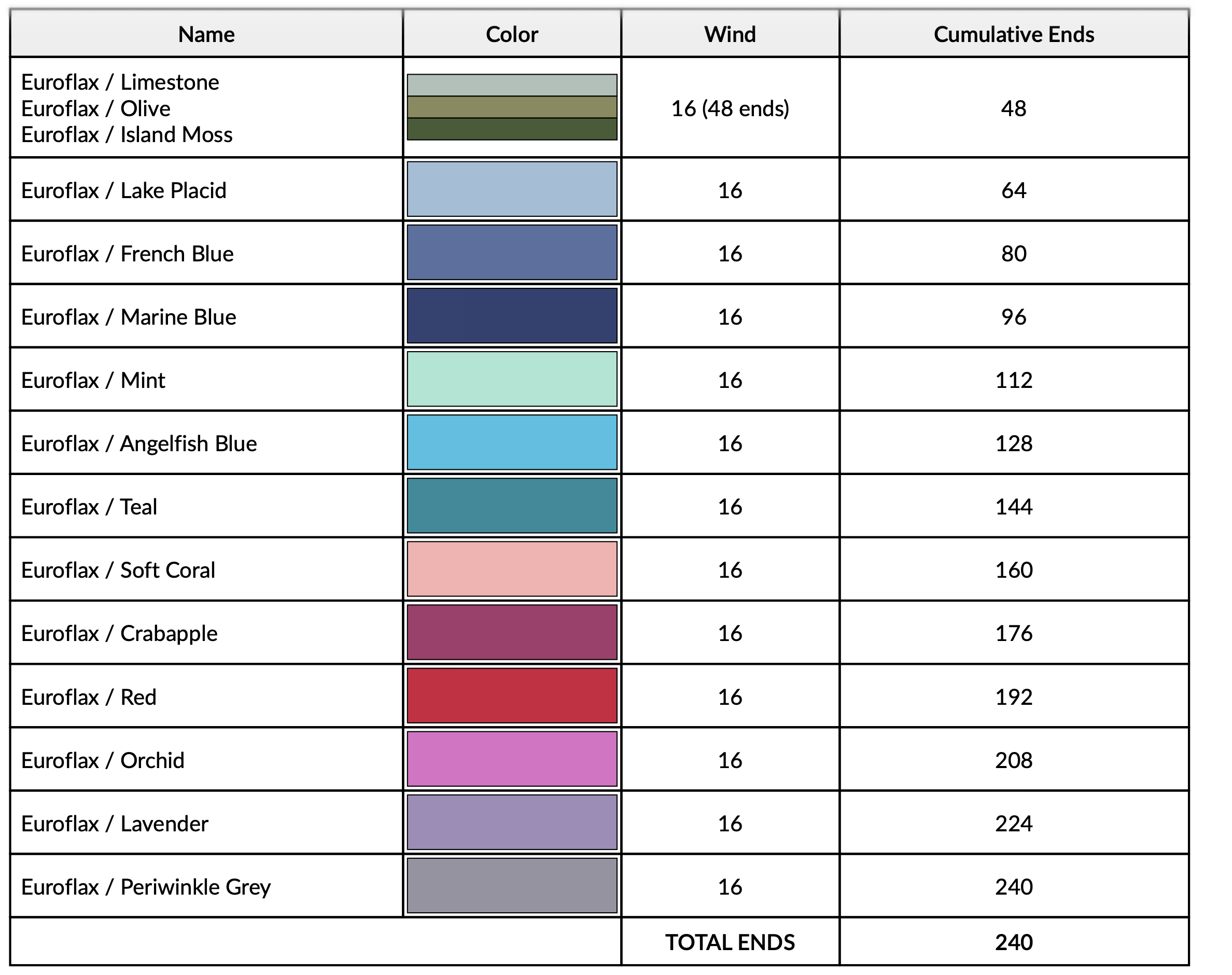
In the following example, the first 48 warp ends have been changed to have a 3-color repeating sequence. The Warp Winding Color Pattern has been changed to a 3, so the Limestone, Olive and Island moss are to be wound together for 16 passes and a total of 48 warp ends.
<figure><img src="/files/hwnCvteEIDF6cRjg50xn" alt=""><figcaption></figcaption></figure>


---

# Agent Instructions
This documentation is published with GitBook. GitBook is the documentation platform designed so that both humans and AI agents can read, navigate, and reason over technical content effectively. Learn more at gitbook.com.

## Querying This Documentation
If you need additional information that is not directly available in this page, you can query the documentation dynamically by asking a question.

Perform an HTTP GET request on the current page URL with the `ask` query parameter:

```
GET https://docs.tempoweave.com/help-by-menu-tabs/file-menu/print-formatted-reports/print-warp-winding-plan.md?ask=<question>
```

The question should be specific, self-contained, and written in natural language.
The response will contain a direct answer to the question and relevant excerpts and sources from the documentation.

Use this mechanism when the answer is not explicitly present in the current page, you need clarification or additional context, or you want to retrieve related documentation sections.
